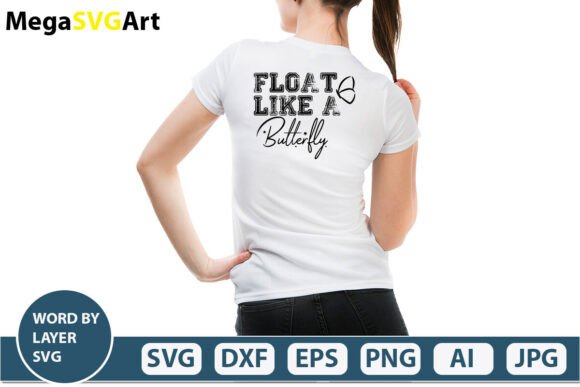
Float Like a Butterfly SVG Bundle
“Float Like a Butterfly” isn’t just a phrase—it’s a mindset, a visual motif, and now, a versatile digital design resource built for real-world making. This curated SVG bundle delivers clean, layered, production-ready files designed to support precision cutting, thoughtful layering, and adaptable creative execution—no physical item, no waiting, just immediate digital access.
What You’re Actually Getting (and Why It Matters)
Your download is a single, well-organized .zip file containing six distinct file types—each serving a specific purpose in your creative workflow:
- AI file: The native Adobe Illustrator source file—fully editable, with layers labeled and grouped logically. Ideal for designers who need to adjust typography, spacing, or vector paths without losing fidelity.
- SVG file: A “Word By Layer” cut-ready version. Each word floats on its own layer—perfect for multi-step vinyl projects, layered paper crafts, or staggered Cricut/Silhouette cuts where timing and depth matter.
- PNG file: 300 DPI, transparent background. Use it for mockups, social media banners, or print-on-demand previews—no cropping or background cleanup needed.
- EPS file: A universally compatible vector format. Works in older design software, large-format printers, and some sign-making platforms where AI isn’t supported.
- DXF file: Ready for CNC routers, laser engravers, or CAD-based workflows—especially helpful for woodworkers, educators running maker labs, or small-batch product developers.
- JPEG file: High-res, web-optimized preview—great for client presentations, portfolio thumbnails, or quick reference while designing.
This isn’t a generic font overlay or flattened graphic. It’s a thoughtfully structured asset—designed so you spend less time prepping files and more time building something meaningful.
Creative Uses That Go Beyond the Obvious
“Float Like a Butterfly” resonates across contexts—not because it’s trendy, but because it carries weight, rhythm, and quiet strength. Here’s how different users bring it to life:
For Educators & Workshop Leaders
Use the layered SVG to teach sequencing and metaphor: cut each word separately, then reassemble them in chronological order on a timeline board—or reverse the order to spark discussion about resilience, preparation, and intentionality. Pair the PNG with classroom posters that link boxing history, poetry analysis, or growth mindset lessons.
For Small Business Owners
A boutique fitness studio might layer the words across a matte black tumbler—“Float” on top, “Like” mid-level, “a Butterfly” at the base—to reinforce lightness and agility in branding. A wellness coach could use the DXF file to etch the phrase onto bamboo coasters or cork trays—tactile, reusable, and aligned with their values.
For Content Creators & Marketers
The transparent PNG drops cleanly into Instagram carousels or YouTube thumbnails. Try animating each word’s entrance in CapCut or Premiere Pro using the layer separation as a guide—subtle motion that mirrors the phrase’s cadence. Bloggers writing about confidence, mindfulness, or personal reinvention can embed the SVG directly into web pages (with proper alt text) to reinforce tone without relying solely on text.
For Crafters & Makers
With the Word By Layer SVG, you’re not limited to flat surfaces. Try heat-transfer vinyl on athletic wear—cut “Float” in iridescent foil, “Like” in matte black, and “a Butterfly” in soft pink glitter. Or use the EPS file to resize the full phrase for a 24"x36" framed wall art piece—printed on fine-art paper and mounted with subtle shadow-box depth.
How to Keep Your Projects Clear, Consistent, and Audience-Friendly
Strong design starts with smart constraints—not endless options. Here’s how to stay focused:
- Match file type to output: Don’t force an SVG into a laser engraver if you have a DXF. Don’t scale the JPEG beyond 100%—use the vector files (AI, EPS, SVG) when resizing is required.
- Respect layer logic: The “Word By Layer” structure isn’t decorative—it reflects intentional spacing and kerning. If you rearrange words, check line height and baseline alignment in Illustrator to preserve readability.
- Test contrast early: Especially for vinyl or embroidery, preview your color choices against the final surface. The PNG’s transparency helps—you can drop it over swatches or material photos before cutting.
- Attribute thoughtfully—if needed: While this is a digital download for your independent use, if you’re creating work for clients or publications, keep a record of file origin for internal asset tracking.
Why This Approach Works Across Audiences
Designers appreciate the AI and EPS files because they integrate cleanly into existing brand systems. Hobbyists rely on the SVG and DXF because they’re plug-and-play with popular tools—no conversion headaches. Entrepreneurs value the JPEG and PNG because they accelerate content creation without outsourcing. And educators benefit from the layered structure because it supports scaffolding—both visually and pedagogically.
None of these uses require mastery of advanced software. You don’t need to trace, ungroup, or rebuild. The files arrive production-ready—not “inspiration-only,” but “ready-to-apply.” That saves time, reduces frustration, and lets your ideas take center stage instead of your file management.
A Final Thought on Intentional Making
“Float Like a Butterfly” works because it balances action and grace—it’s not passive. Similarly, this SVG bundle supports doing meaningful work without unnecessary friction. Whether you’re printing 50 motivational stickers for a youth program, etching a keepsake gift for a graduate, or building a branded merch line for your podcast, the files meet you where you are.
You decide the context. You choose the medium. You set the tone. This bundle simply gives you reliable, well-built assets—so your creativity stays in focus, not your file troubleshooting.